 knowledge kit19
To edit a ticket from the manage ticket panel follow the steps mentioned below:
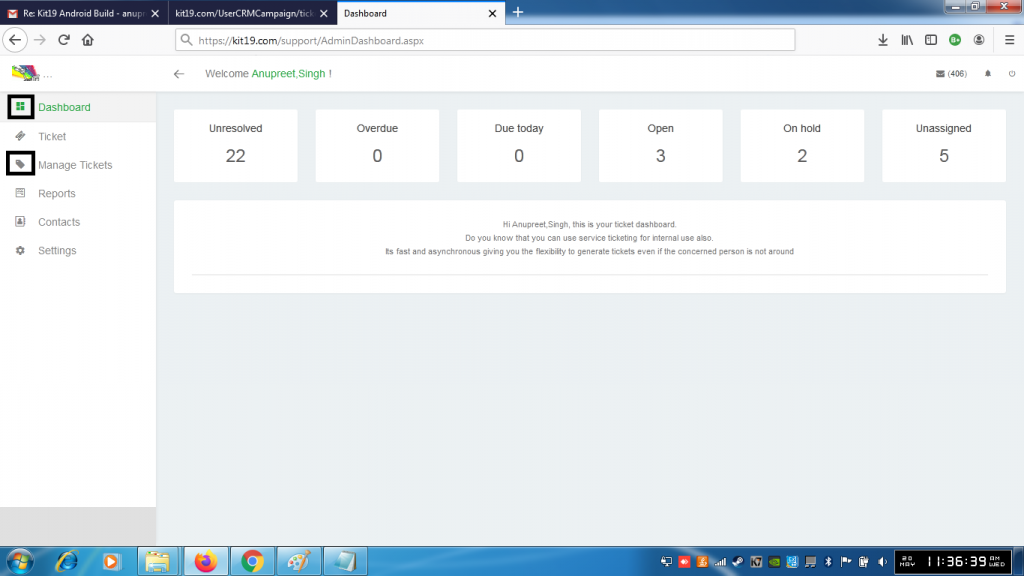
- Go to the link https://kit19.com/(your_username)/support/AdminDashboard.aspx
- Click the Dashboard button
- Click the Manage Ticket button
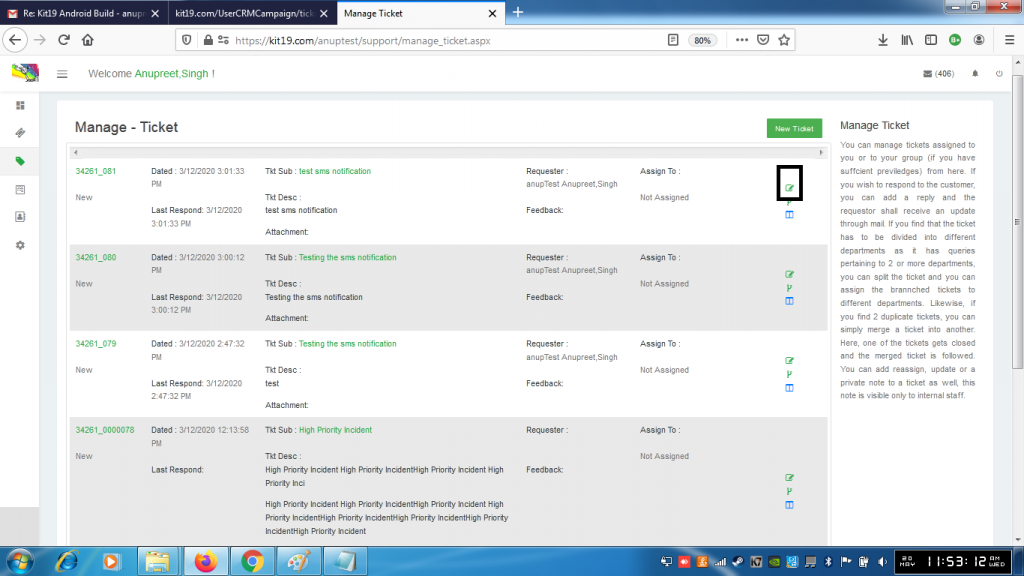
- Click the Edit Icon
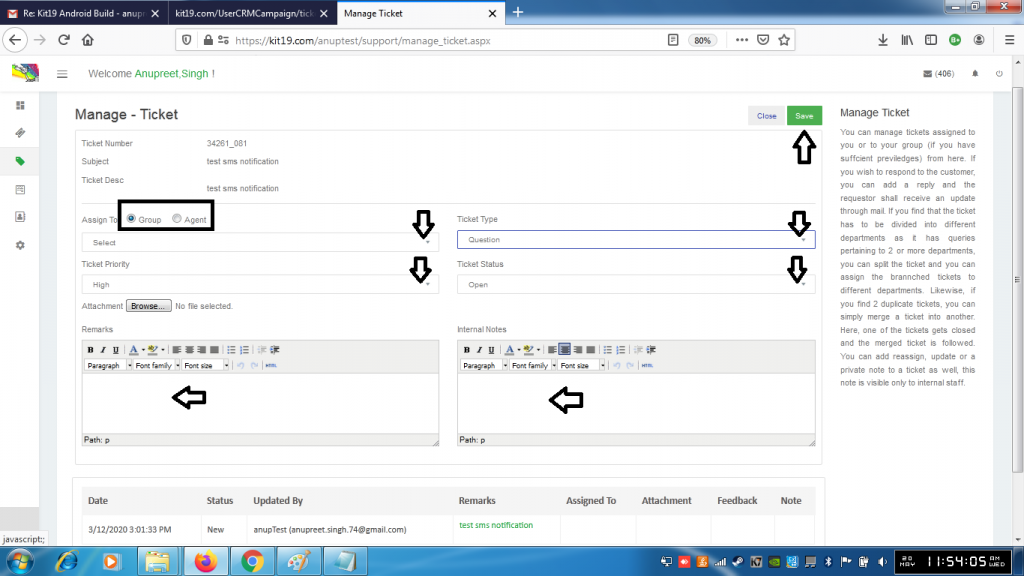
- If required Select Group or Agent
- Select a group or Agent from the drop down list
- If required change the priority of the ticket
- If required change the ticket type
- If required change the ticket status
- If required add an attachment by clicking the browse button
- Enter Remarks
- Enter Internal Notes. Internal notes are only visible to the internal staff
- Click Save button
The ticket would be edited.
