 knowledge kit19
There are three statuses of a user:
- Activate Deactivate a user
- Activate Deactivate the support role
- On Duty Off Duty
To change the activate – deactivate a user follow the steps mentioned below:
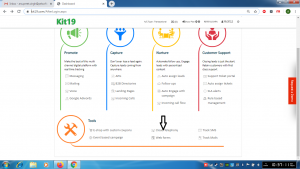
- Go the page https://kit19.com/AfterLogin.aspx
- Click Cloud Telephony
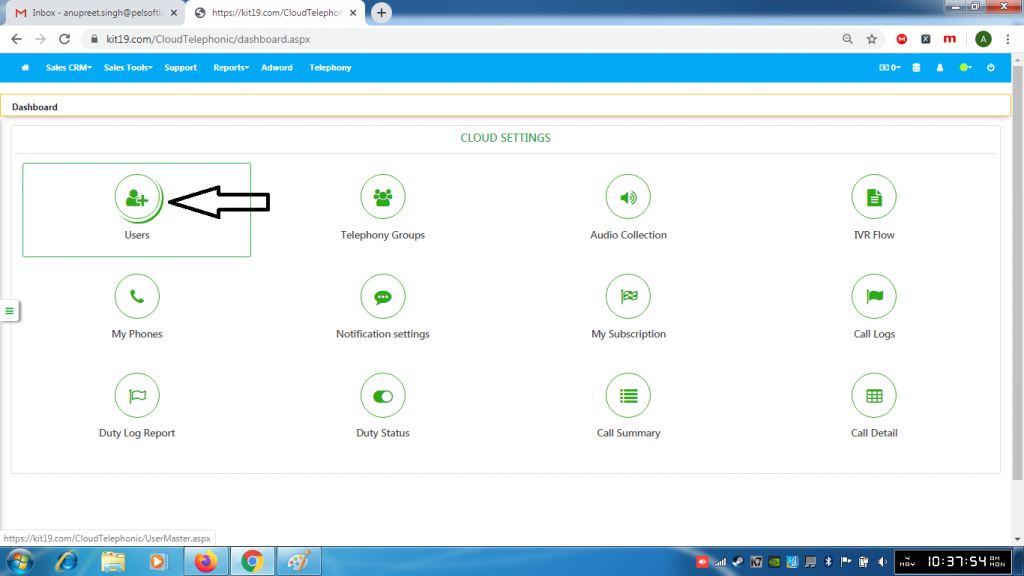
- Click Users
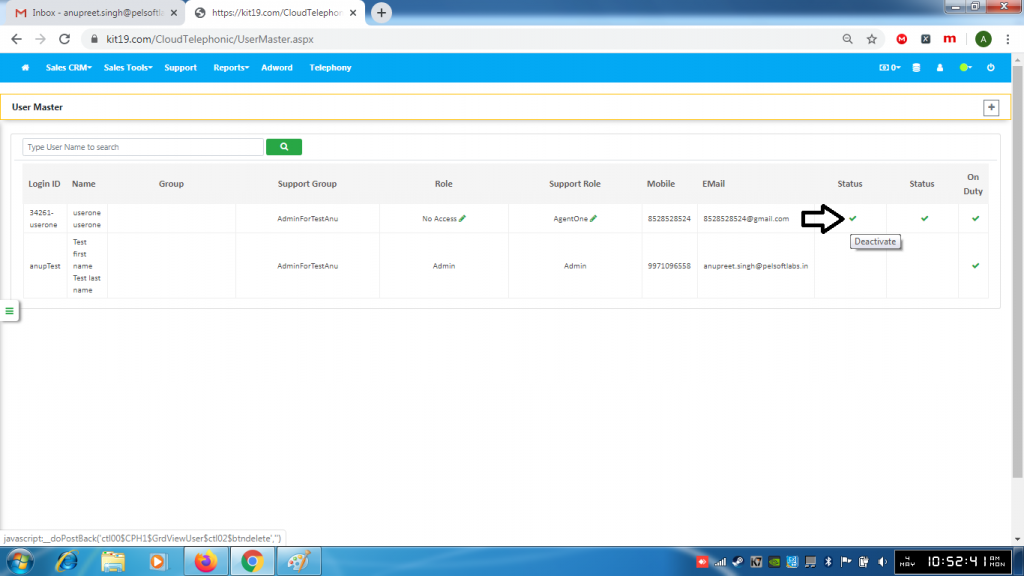
- Click the green tick to deactivate the user
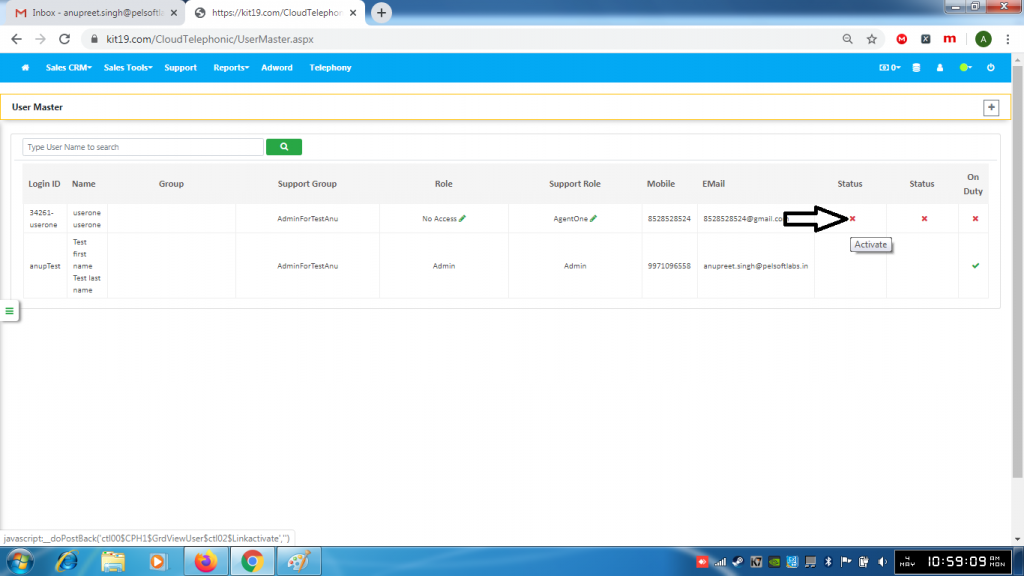
- Click the red cross (X) to activate the user
To activate – deactivate the support role of a user follow the steps mentioned below:
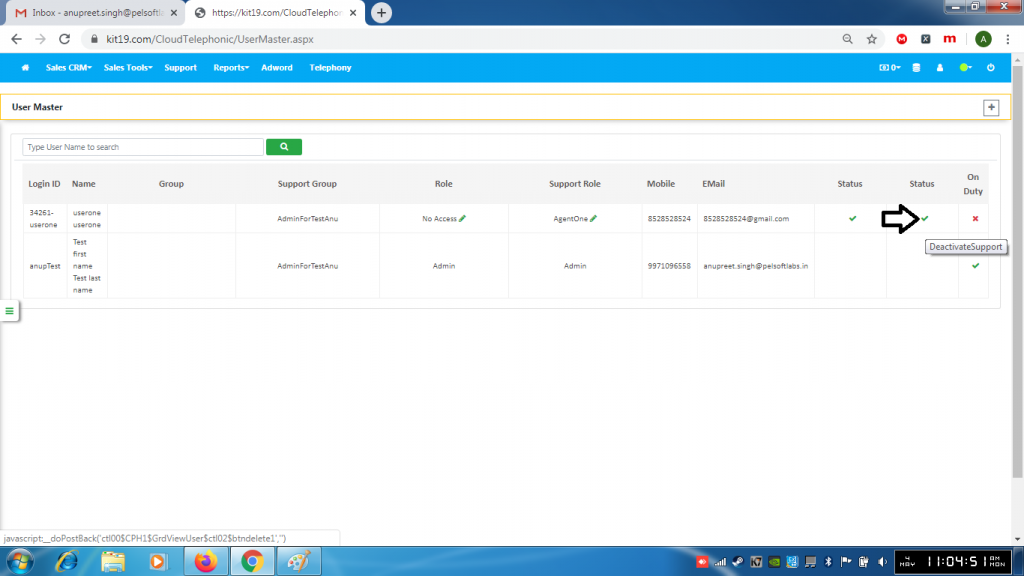
- Click the green tick to deactivate the support role
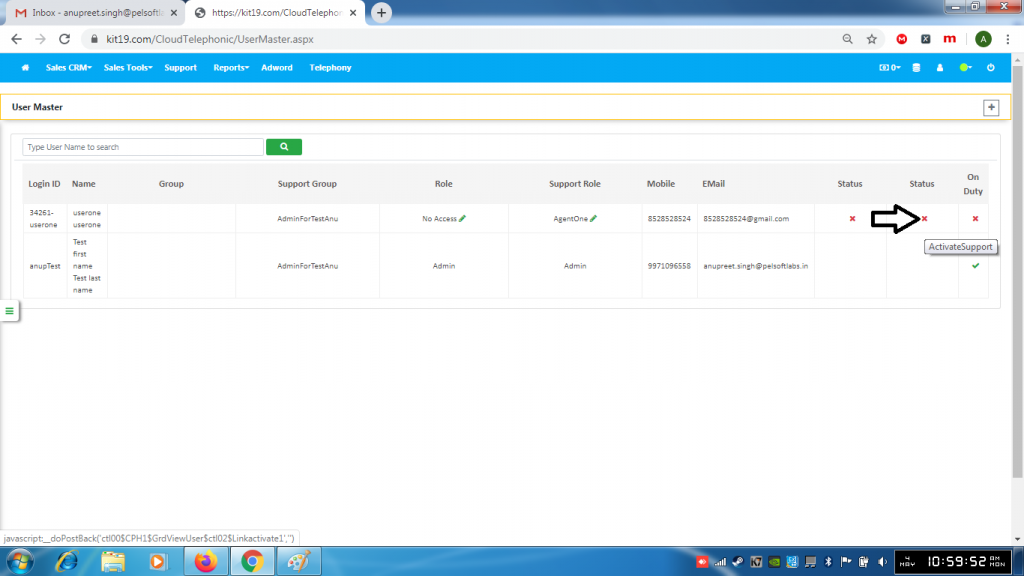
- Click the red (X) to activate the support role
To change the on duty status follow the steps mentioned below:
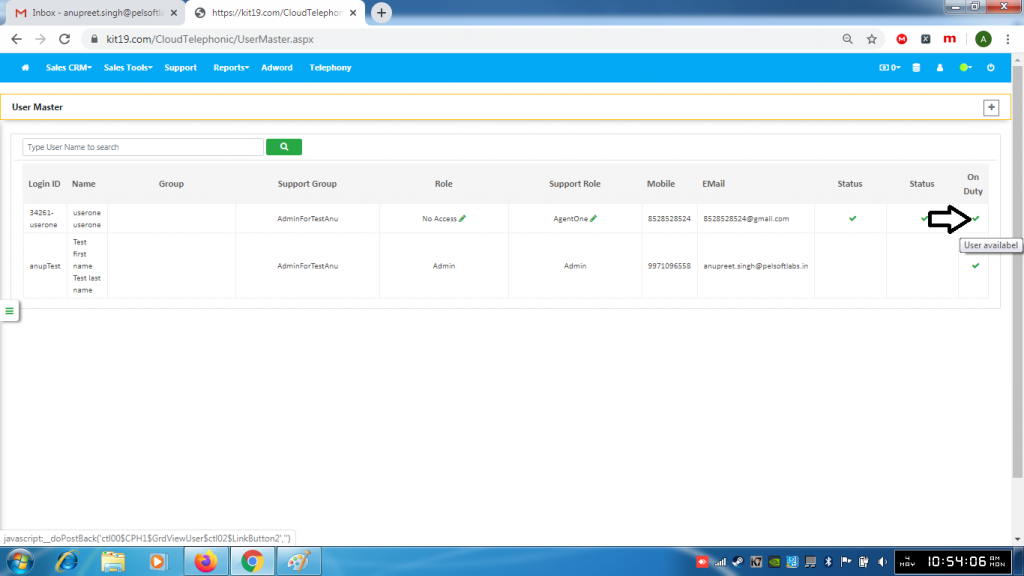
- Click the green tick to take the user Off duty
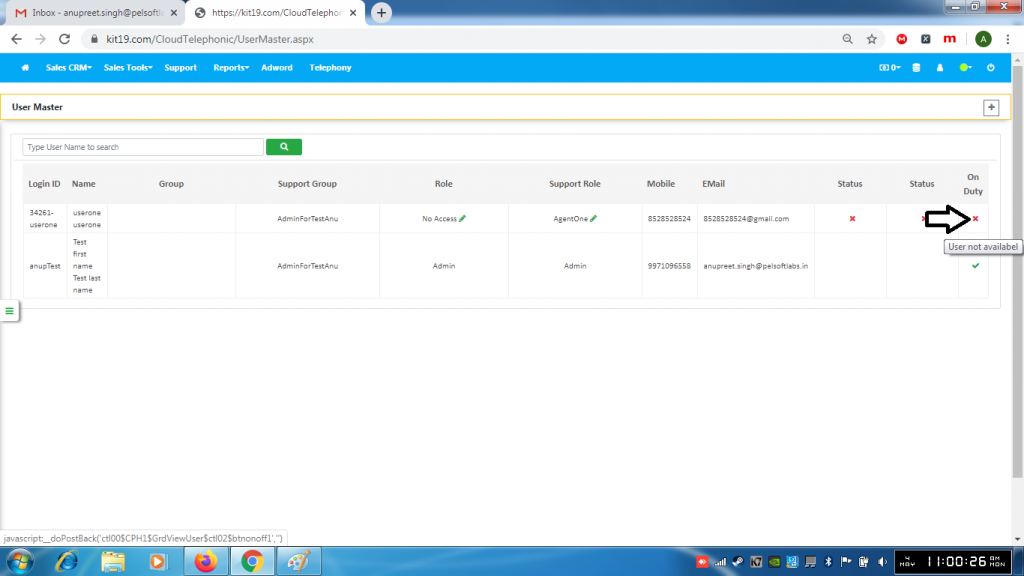
- Click the red (X) to take the user On duty
