 knowledge kit19
This option is required if you would like to be reminded about a lead follow up. The system will send an SMS to your registered phone number 15 minutes before the follow up time.
To set up a reminder by SMS follow the steps mentioned below:
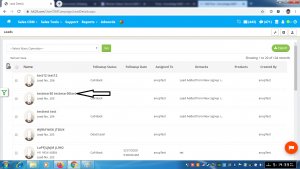
- Click on the lead name to which reminder by SMS has to set up
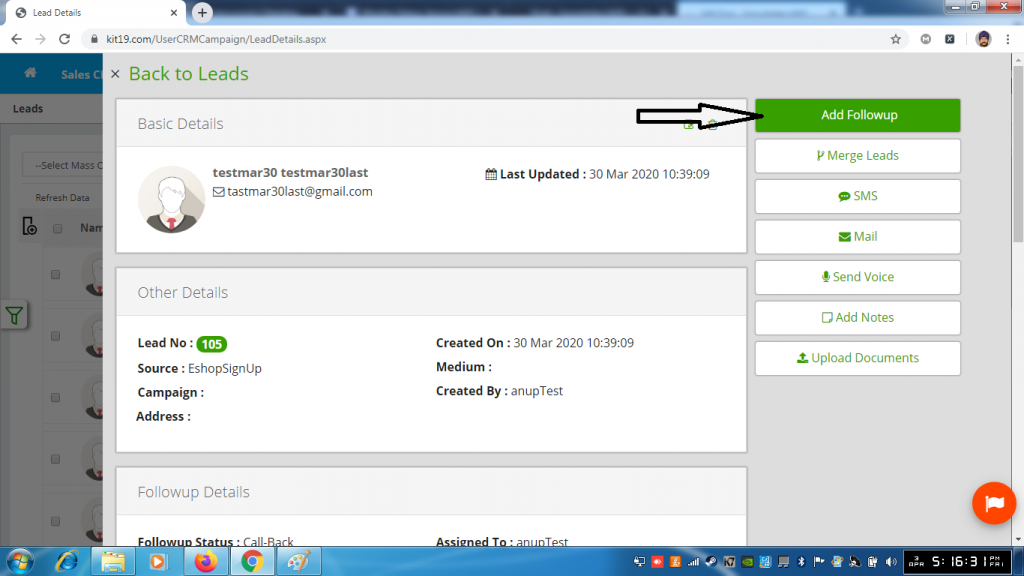
- Click on the button add follow up
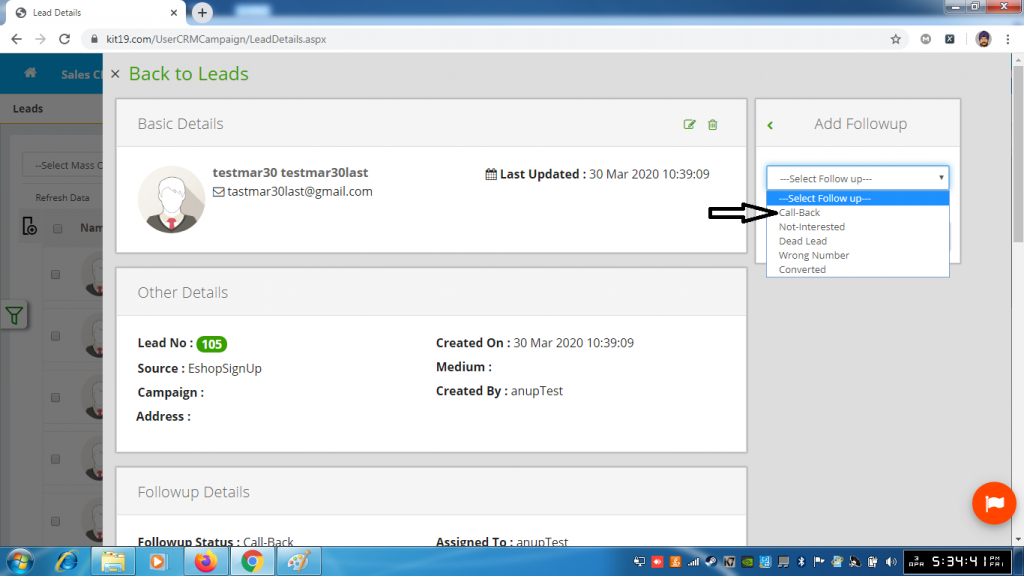
- Select follow up status call back
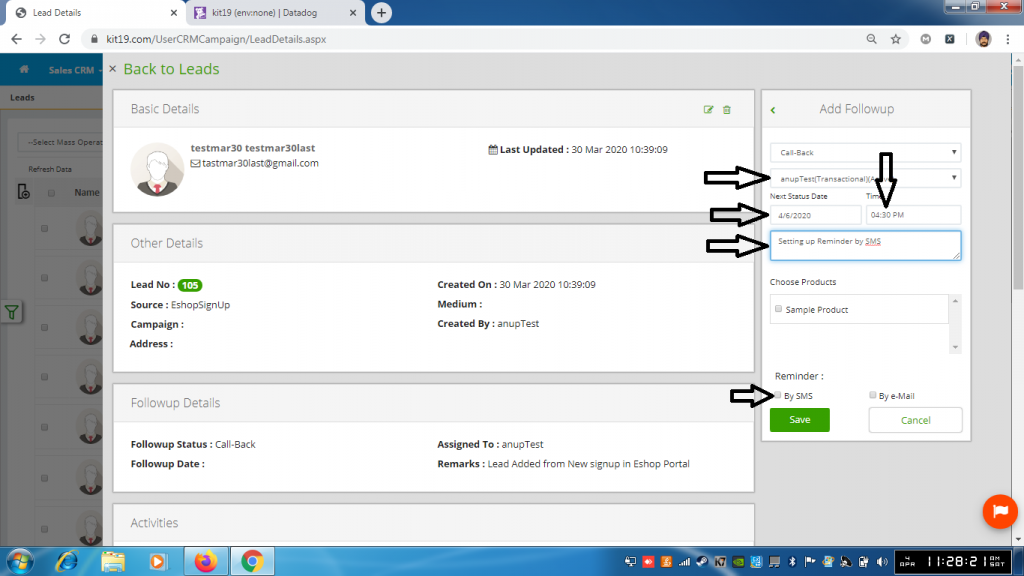
- Select Account (Mandatory)
- Select Next status date (Mandatory, only today’s date and future date is allowed)
- Select Time (Mandatory, only future time for today’s date and any time for a future date is allowed)
- Enter remarks (Mandatory)
- Optional Select a product from choose products
- Check the box by SMS
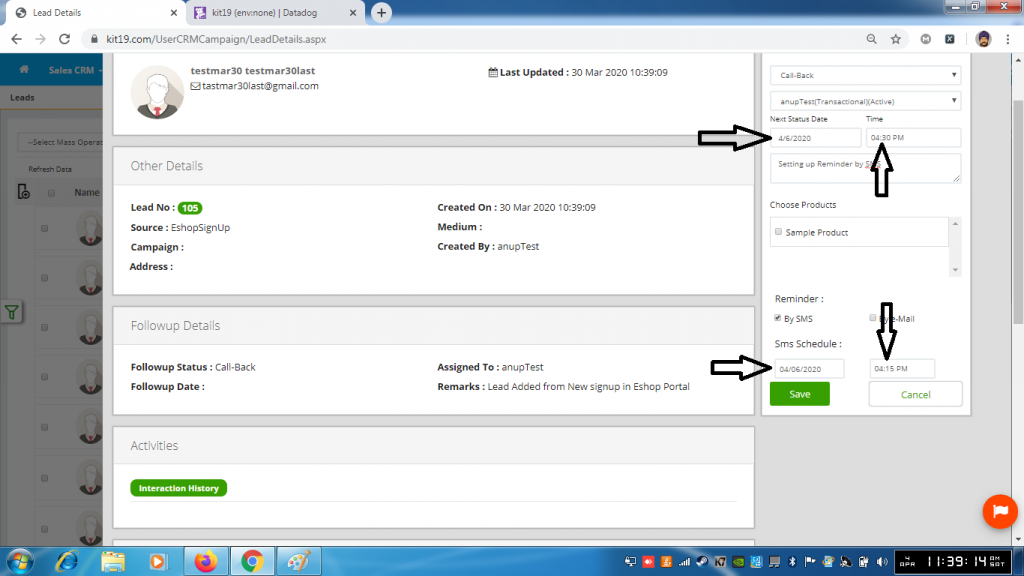
- By default under the Sms Schedule section same date as the next status date is displayed.
- Change the date if required (However the schedule date cannot be greater than the next status date)
- By default under Sms Schedule section time which is 15 minutes less than the next status time is displayed.
- Change the time if required (However if the reminder date and the next status date is same, then minimum time difference of 15 minutes is required. If the next status date and follow up date is not the same, then you can choose any time that you like)
- Click Save
The Call back follow up would be added to the lead and a reminder SMS would be sent to you at the set date and time.
Note: Reminder by SMS is only applicable to Follow Up Status Call Back.
