 knowledge kit19
To understand the interface settings follow the steps mentioned below:
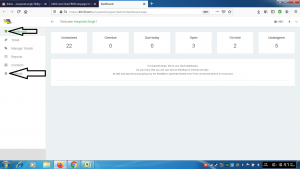
- Go the link https://kit19.com/(your_username)/support/admindashboard.aspx
- Click the dashboard button
- Click the settings button
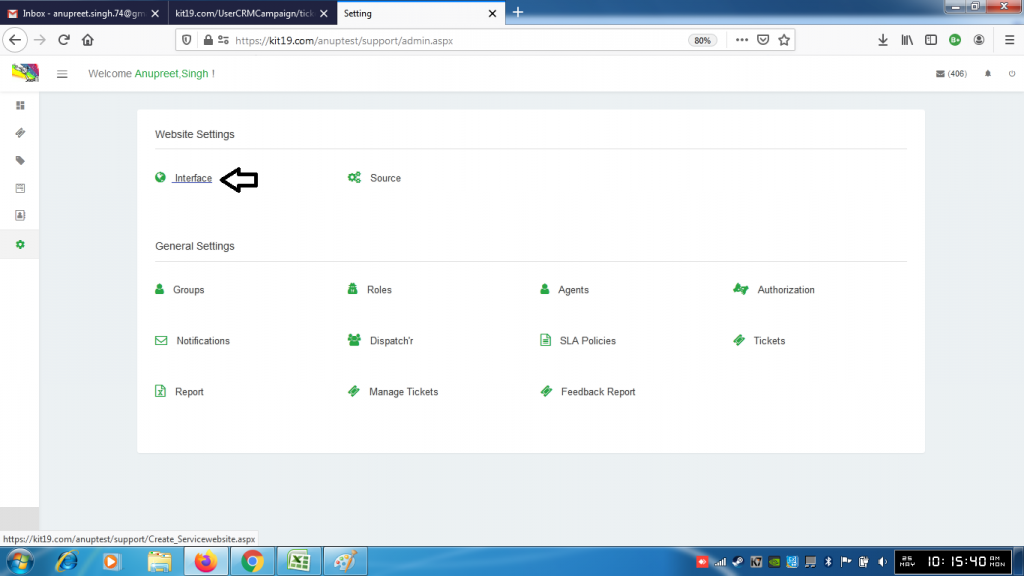
- Click the interface button
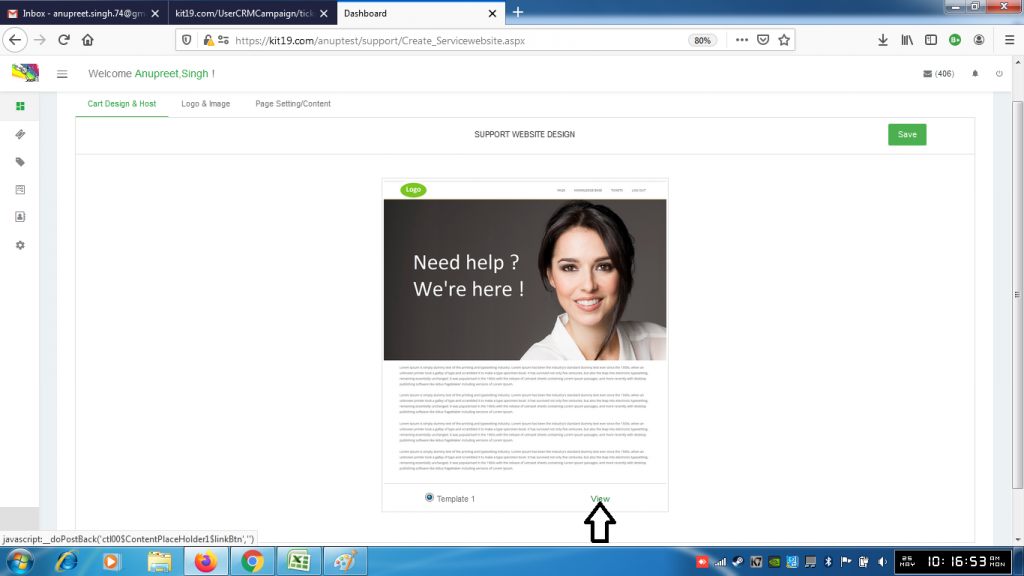
- Click the view button to view the Cart Design & Host Template
- Click the Save button if you want to save the template
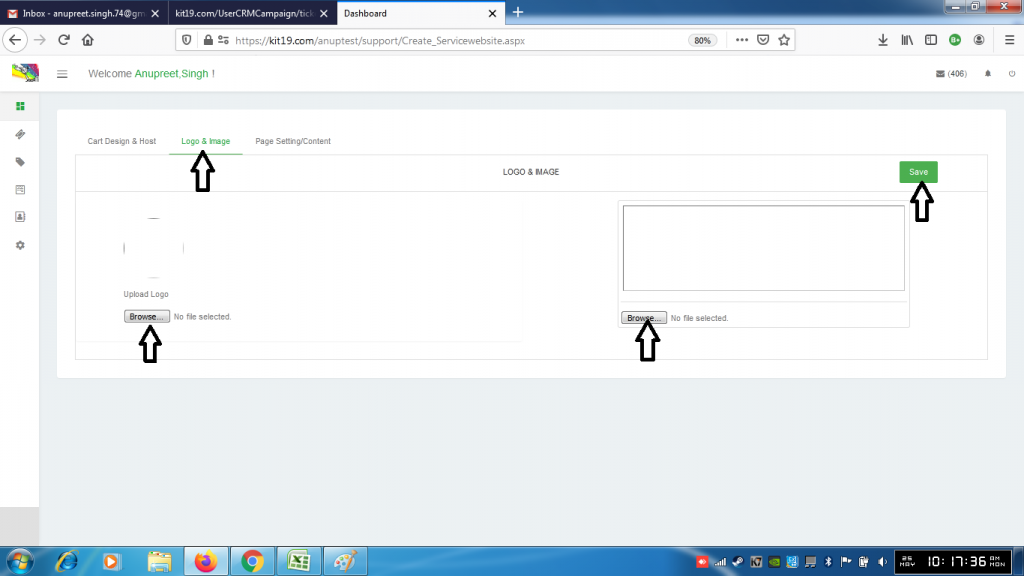
- Click Logo & Image
- Click the browse button under logo to upload a new logo
- Click the browser button under image to upload a new image
- Click Save
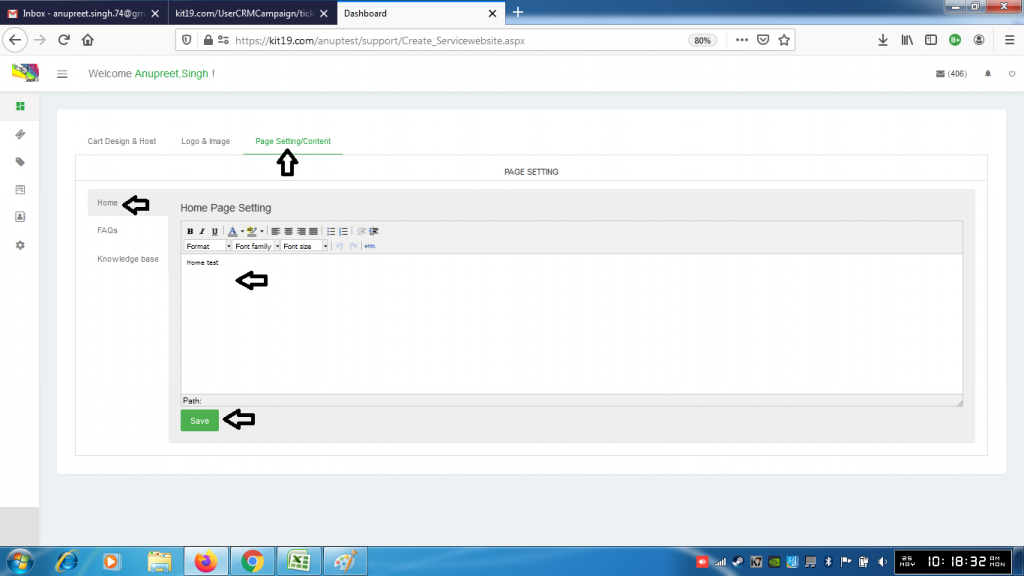
- Click Page Setting / Content
- Click Home
- Enter Content for the home page
- Click Save
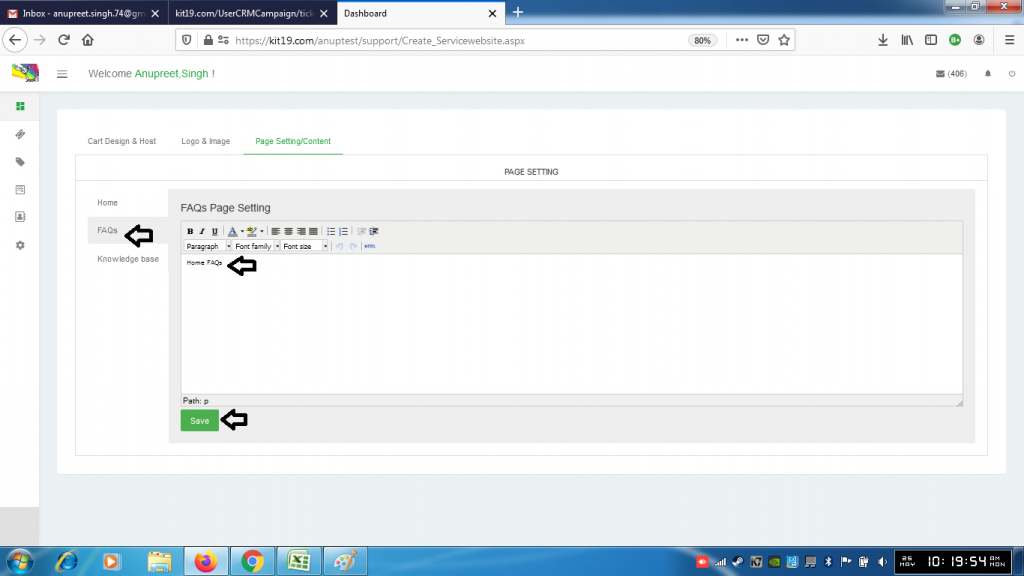
- Click Faqs
- Change the content of Faqs
- Click Save
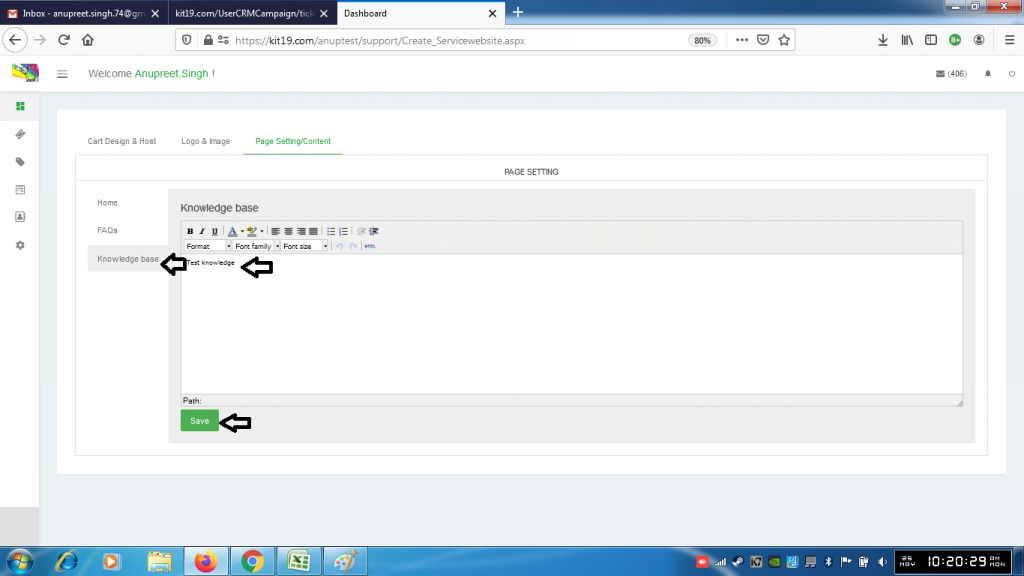
- Click Knowledge Base
- Change the content of Knowledge base
- Click Save
