 knowledge kit19
IVR Flow let’s you decide what actions have to be taken when your customer calls you for his concern. To add an IVR flow follow the steps mentioned below:
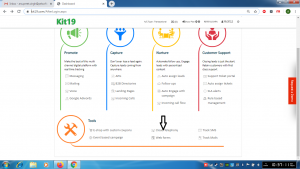
- Go to Page https://kit19.com/AfterLogin.aspx
- Click on Cloud Telephony
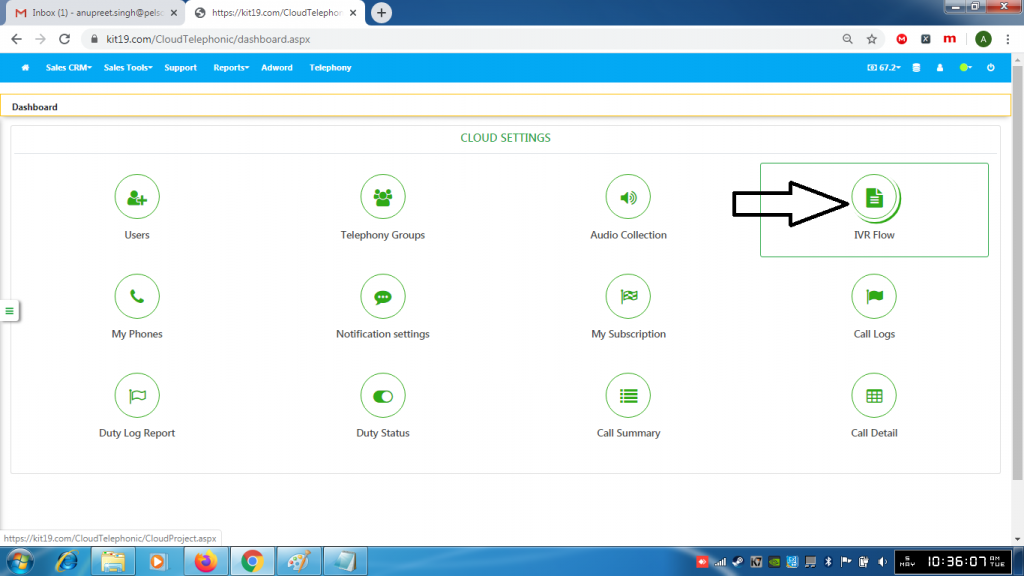
- Click IVR Flow
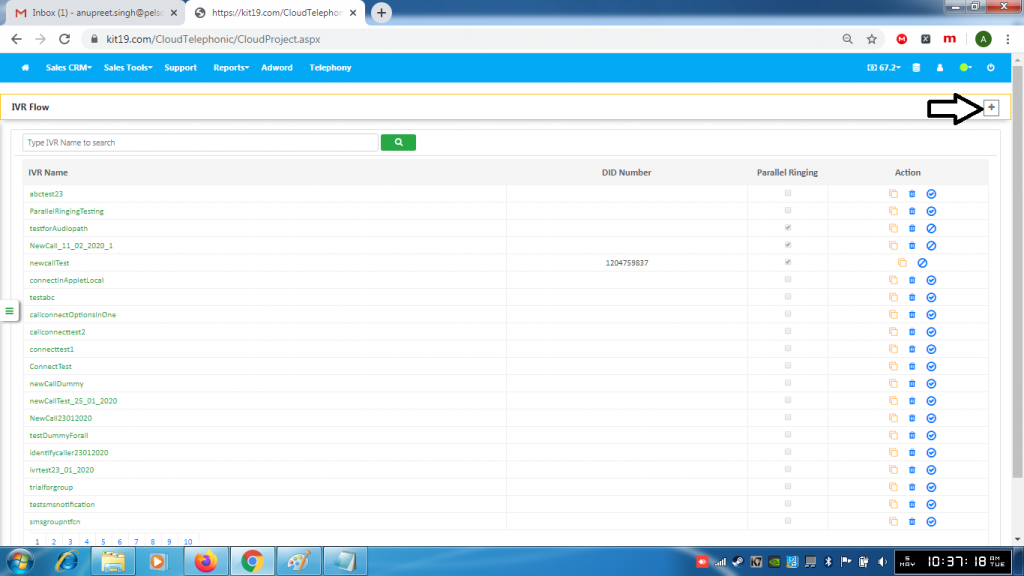
- Click + (Add flow) button
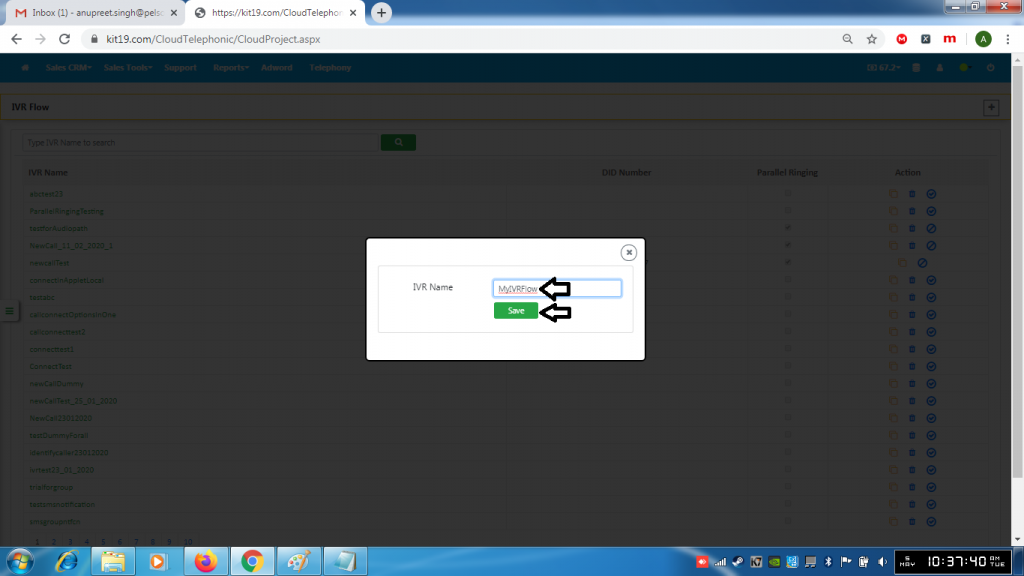
- Enter a name for the flow
- Click the Save button
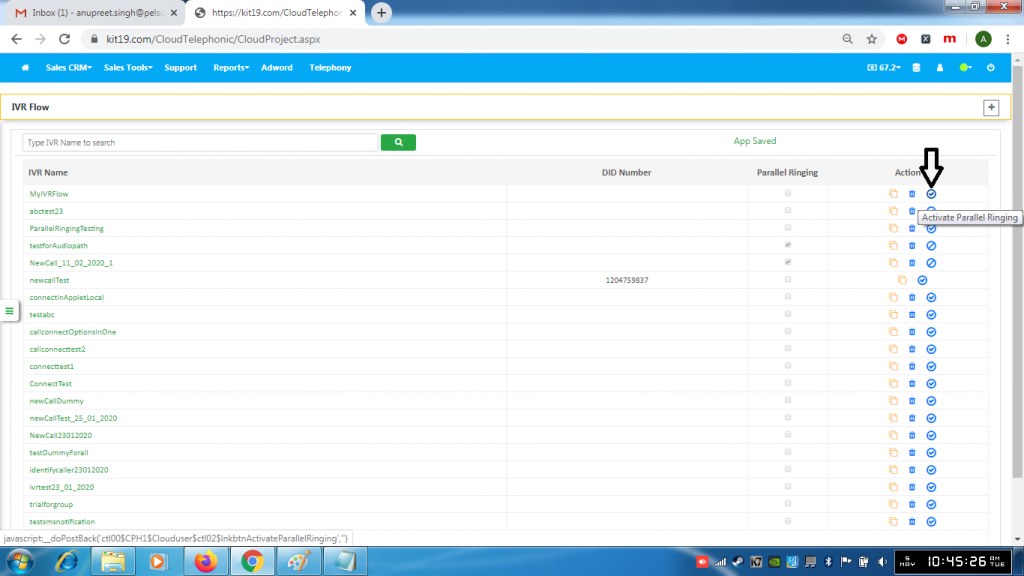
- To activate Parallel ringing click the button with the tick sign
- To deactivate Parallel ringing click the button again
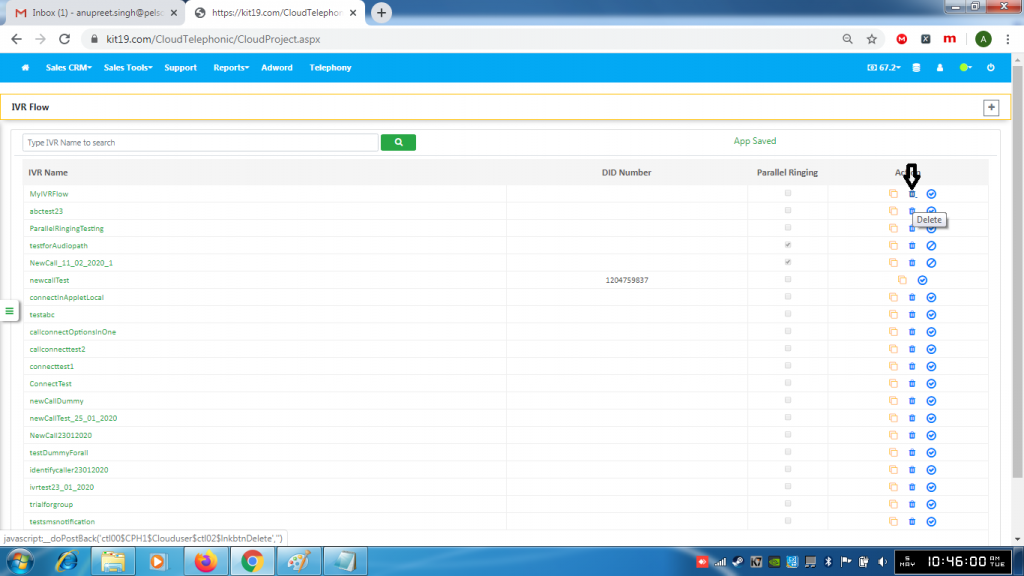
- Click the delete button to delete the IVR flow
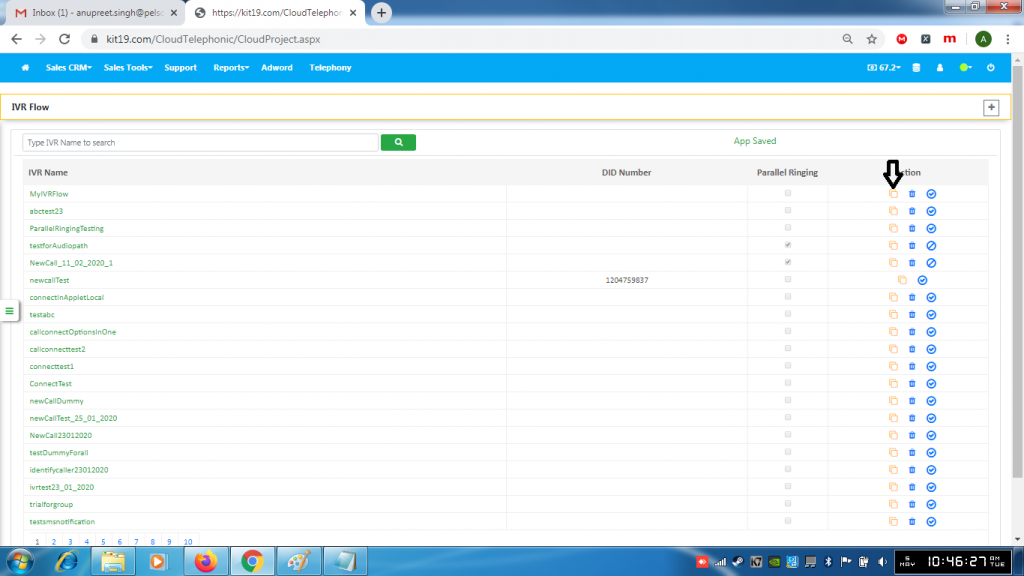
- Click the Copy button to copy the IVR flow
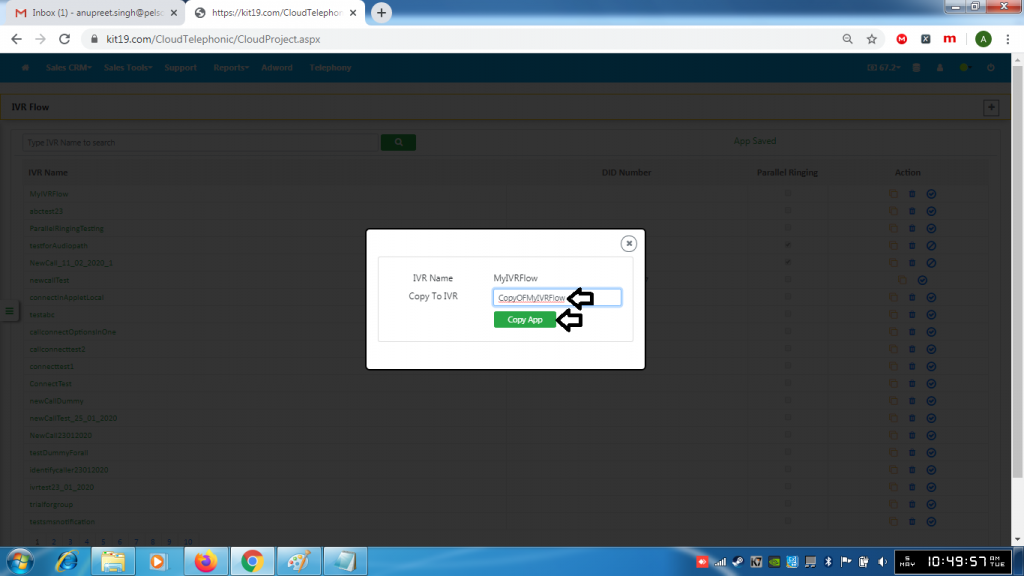
- Enter a name for the flow
- Click Copy App button
