 knowledge kit19
To add the follow up Call back to a lead follow the steps mentioned below:
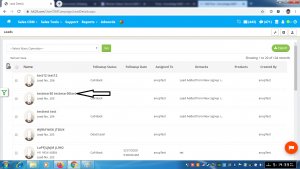
- Click on the name of the lead to which follow up has to be added
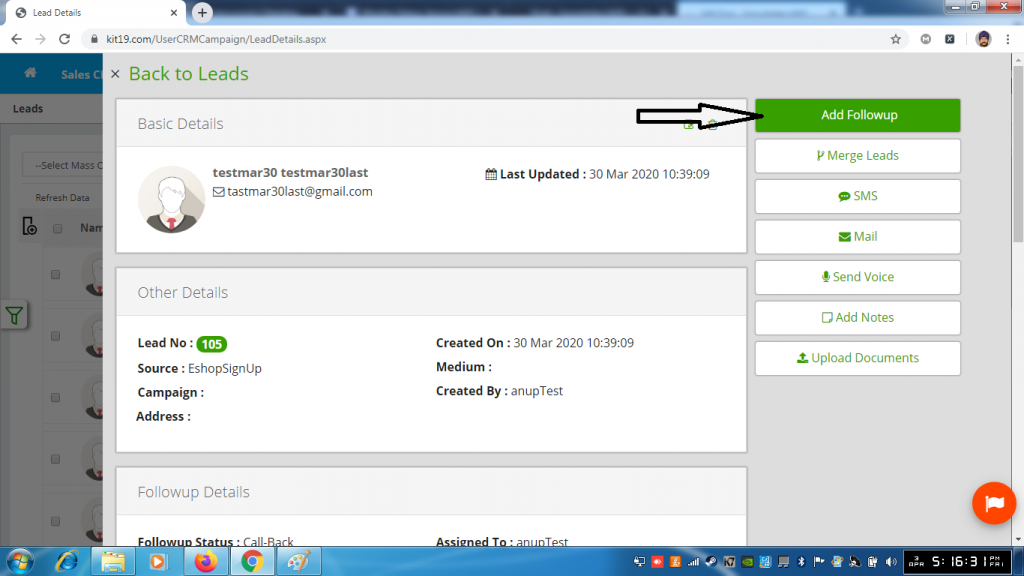
- Click the button add follow up
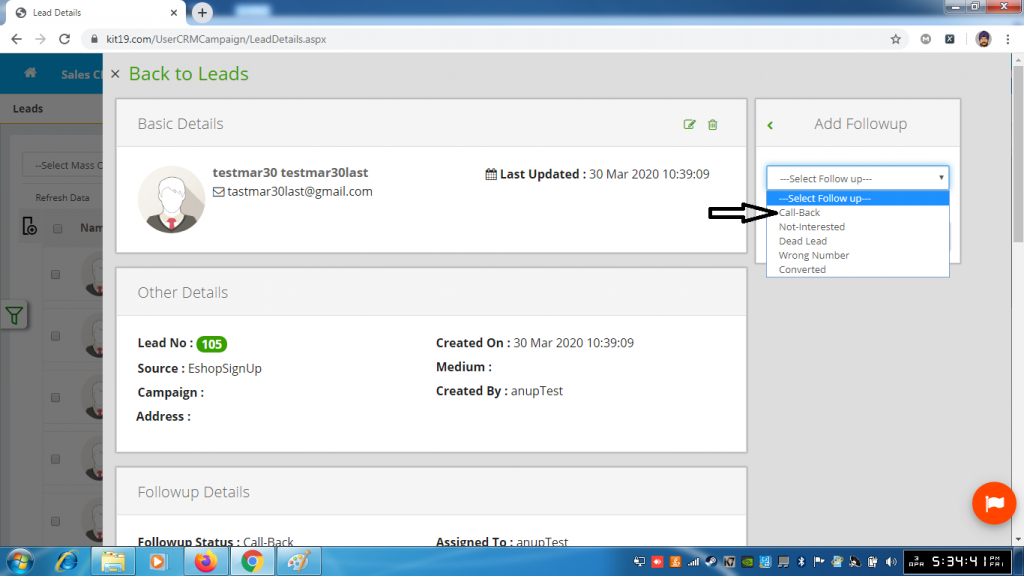
- Select the follow up Call Back
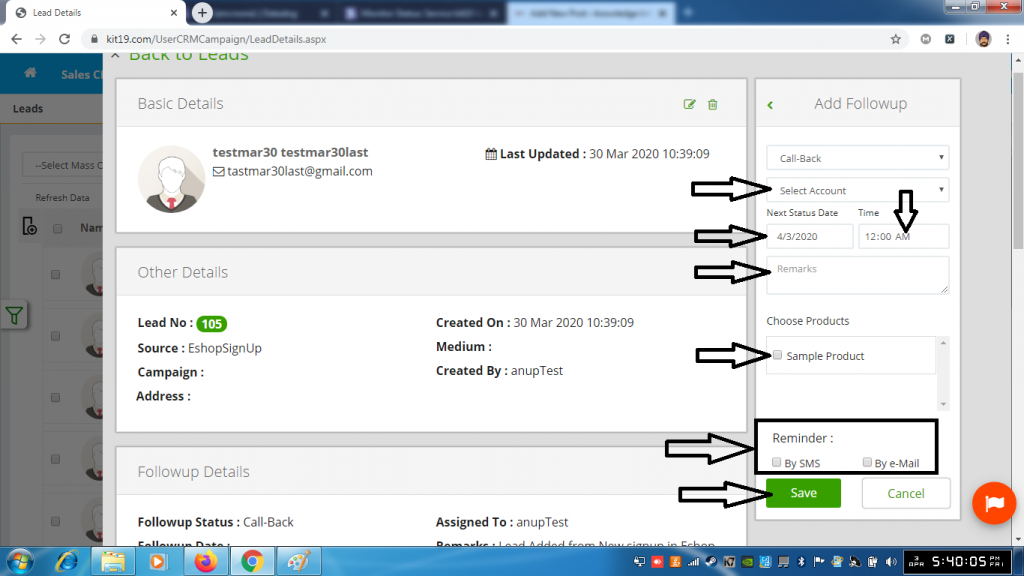
- Select Account (Mandatory)
- Select Next Status Date (Mandatory, Only today’s date and future date is allowed)
- Enter Time (Mandatory, Only future time for today’s date and any time for future a date is allowed)
- Enter Remarks (Mandatory)
- Select Choose Products (Optional)
- Reminder By SMS (Optional. If you select this option you will be reminded via SMS to follow up with the customer)
- Reminder By Email (Optional. If you select this option you will be reminded via Email to follow up with the customer)
- Click Save
Follow Up status Call back would be added to the lead.
