Home / Cloud Telephony / Cloud Telephony My Subscription

Cloud Telephony My Subscription

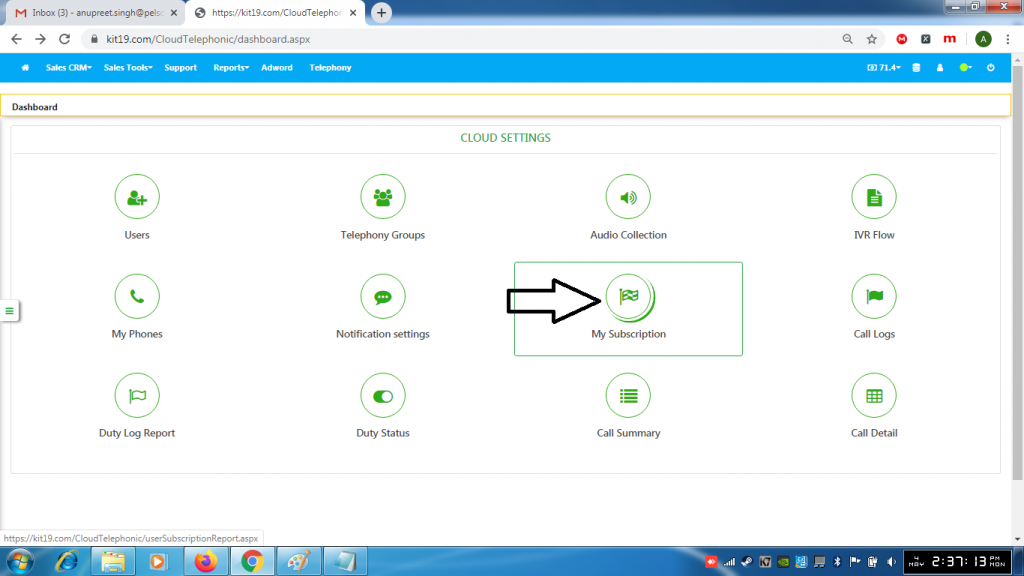
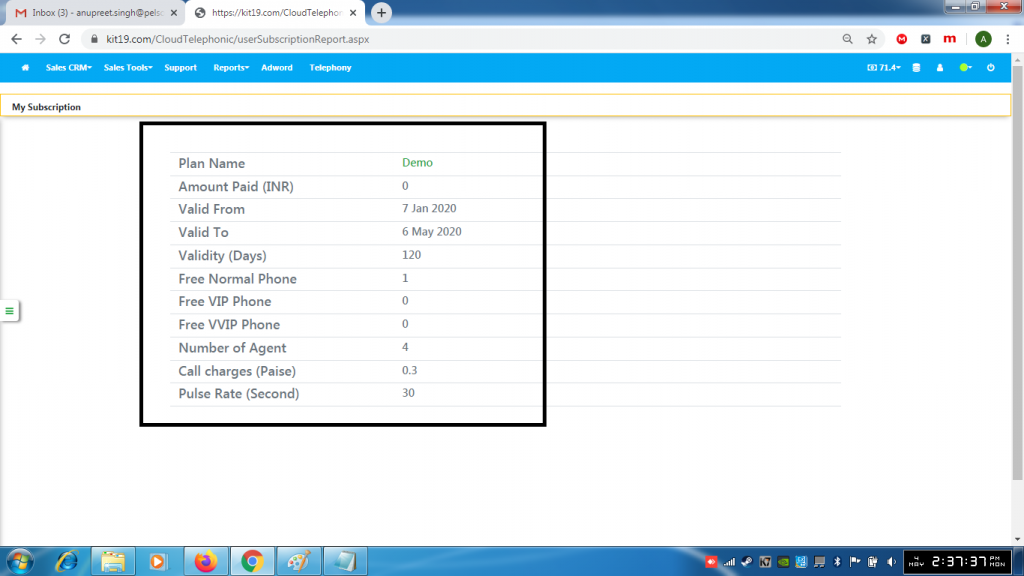
My subscription gives the details of your plan. To view the details of your subscription follow the steps mentioned below:
  • Go to Page https://kit19.com/AfterLogin.aspx
  • Click Cloud Telephony

  • Click My Subscription

  • The details of your plan would be displayed

About Anupreet Singh

Check Also

Cloud Telephony How to save an IVR flow

To save an IVR flow follow the steps mentioned below: Go to Page https://kit19.com/AfterLogin.aspx Click …

Leave a Reply

Your email address will not be published. Required fields are marked *