 knowledge kit19
To view the call log reports follow the steps mentioned below:
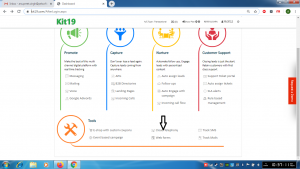
- Go to Page https://kit19.com/AfterLogin.aspx
- Click on Cloud Telephony
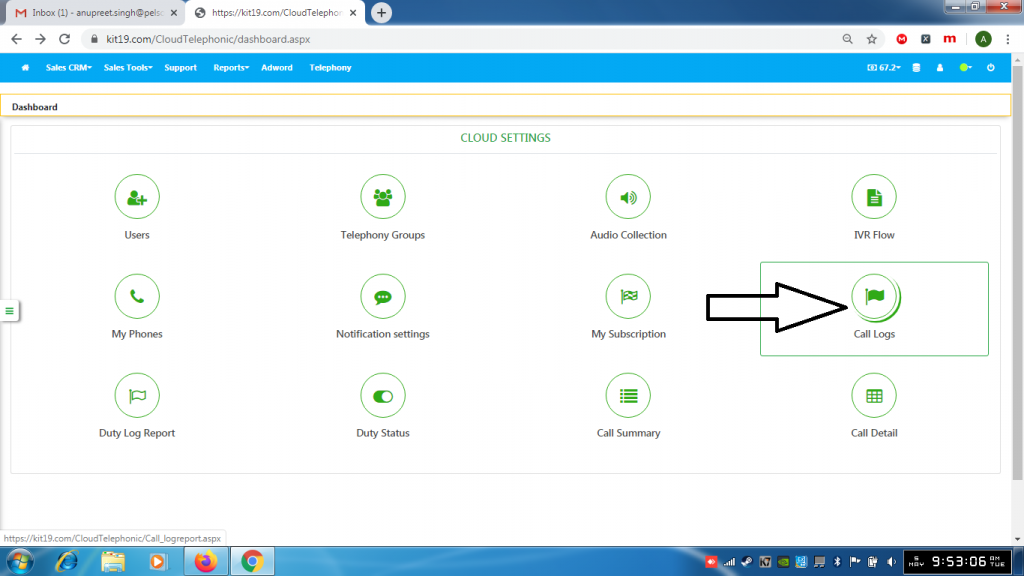
- Click Call Logs
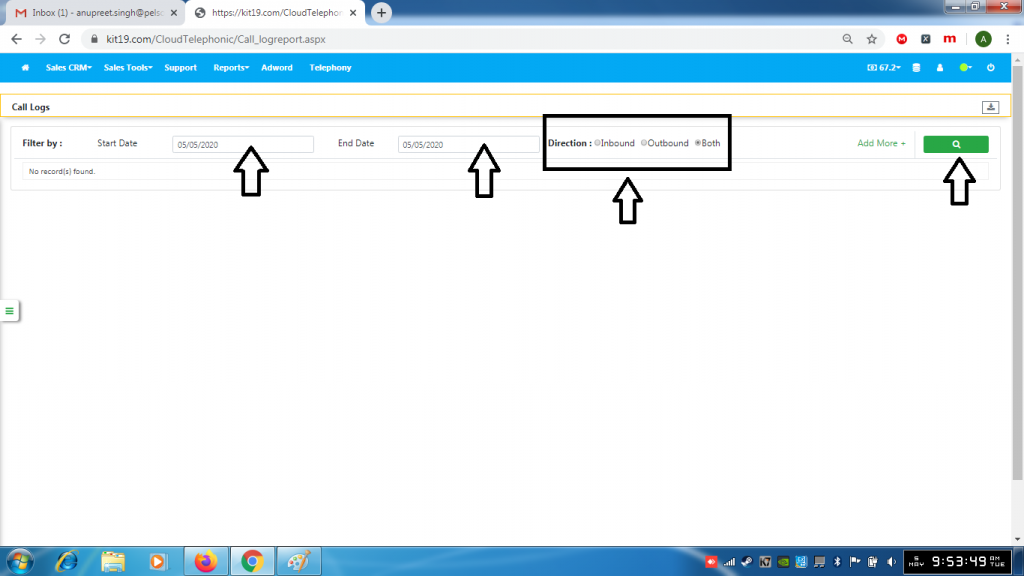
- Select a Start Date
- Select an End Date
- Select the type of call
- Click Search
For more refined search follow the steps mentioned below:
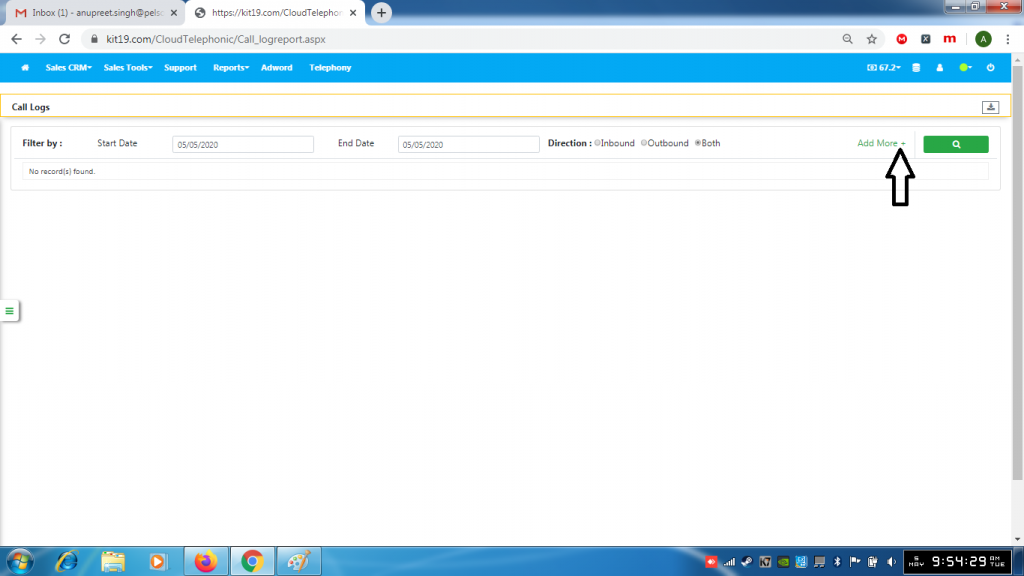
- Click Add More
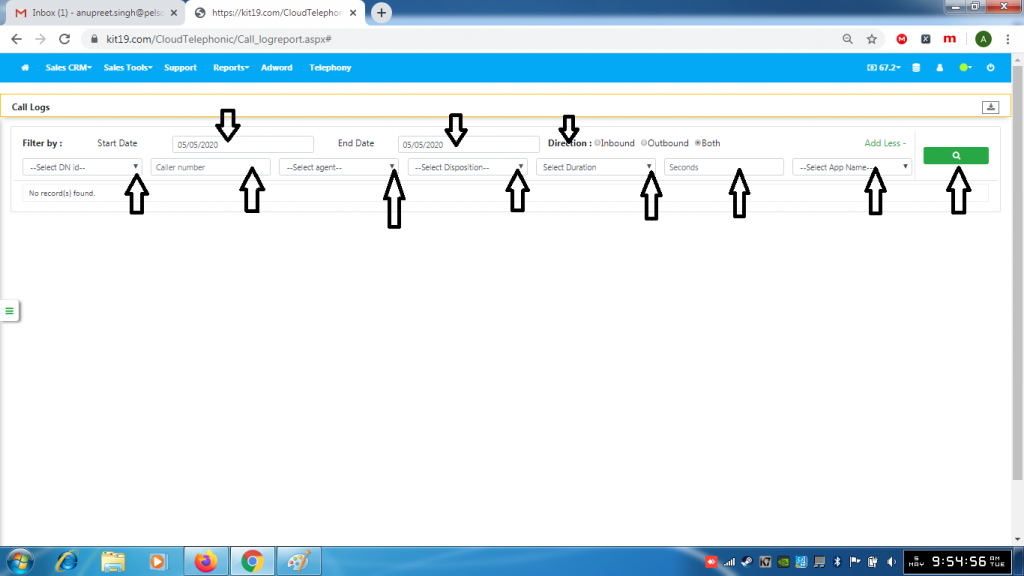
- Select Start Date
- Select End Date
- Select the Direction of the call
- Select DN Id
- Enter Caller Number
- Select the agent
- Select Disposition
- Select Duration
- Enter number of Seconds
- Select App Name
- Click the Search button
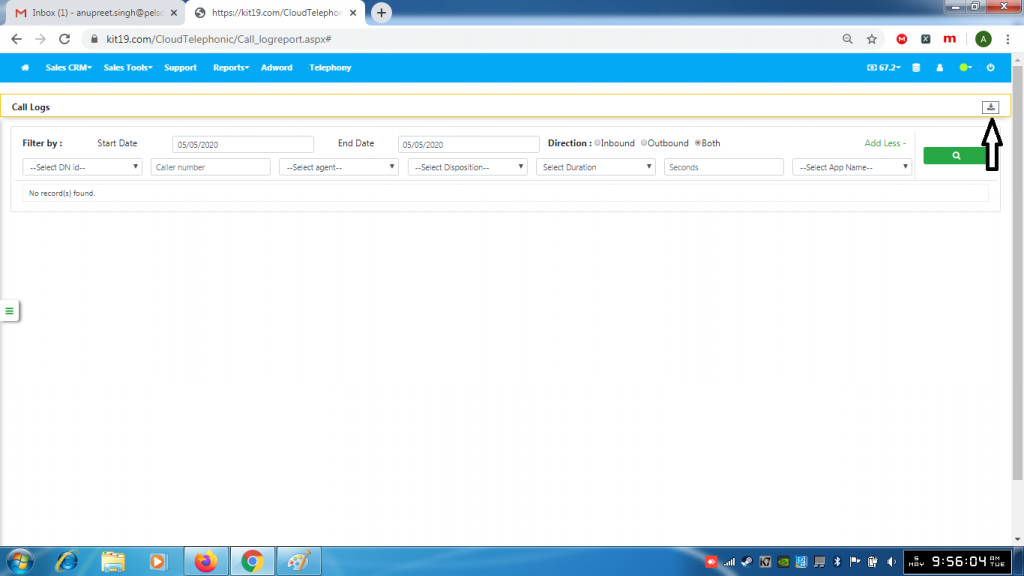
- Click the download button to download the log report
